What is ASC-MHL? Checksum verification, explained
The film-set standard for proving footage copied bit for bit, in plain English.
Free Mac app · macOS 13+ · no account
Plug in a camera, drone or audio card. Copsy recognizes it, copies it to your drive, checks every file against a checksum and messages you when it's safe to format.
Free, no signup No card limit Apple silicon
Reads cards from
How it works
Switch on Auto, plug a card in, and Copsy takes it from there.
Detection
Copsy looks at the folders and file types a device actually writes, so a card still gets recognized when it's unlabeled, renamed or was formatted in another body.
 Camera_A · Camera_B
Cinema bodies and mirrorless alike. Two cameras on the same day get their own letters, based on the body's serial.
 Drone
Drone
DJI drones, Osmo and GoPro action cameras, Insta360 360° footage. Copsy knows how each one lays out its folders.
 Audio
Audio
Zoom, Tascam, Sound Devices and the rest. Copsy spots them by the takes on the card.
Verification
Finder only tells you the copy finished. Copsy checks that every file on the drive matches the card.
Files are hashed while the card is read, so the card is read once. The copy is hashed again and compared.
The film-set standard. The next person in the chain can re-verify your drive without taking your word for it.
A PDF with clips, sizes and a verification stamp for every card, ready to hand over at wrap.
Backup
Once a card is on your drive, Copsy sends the same folder to Google Drive or Dropbox in the background while you move on to the next card.
Connect either one in a couple of clicks. Footage lands in the same date and shoot folders as on your drive.
Wi-Fi drops, the upload waits and carries on. Pull a card or a disk mid-copy and it resumes when you plug it back in.
Mirror every card to another disk, straight from the card or from your first copy.
Stay on set
Link Copsy to Telegram once. You hear about it when a card is verified or an upload is done, and you can check on jobs from the chat.
Live copy and upload progress from your pocket, over your own Wi-Fi. It isn't released yet.
How Copsy Monitor works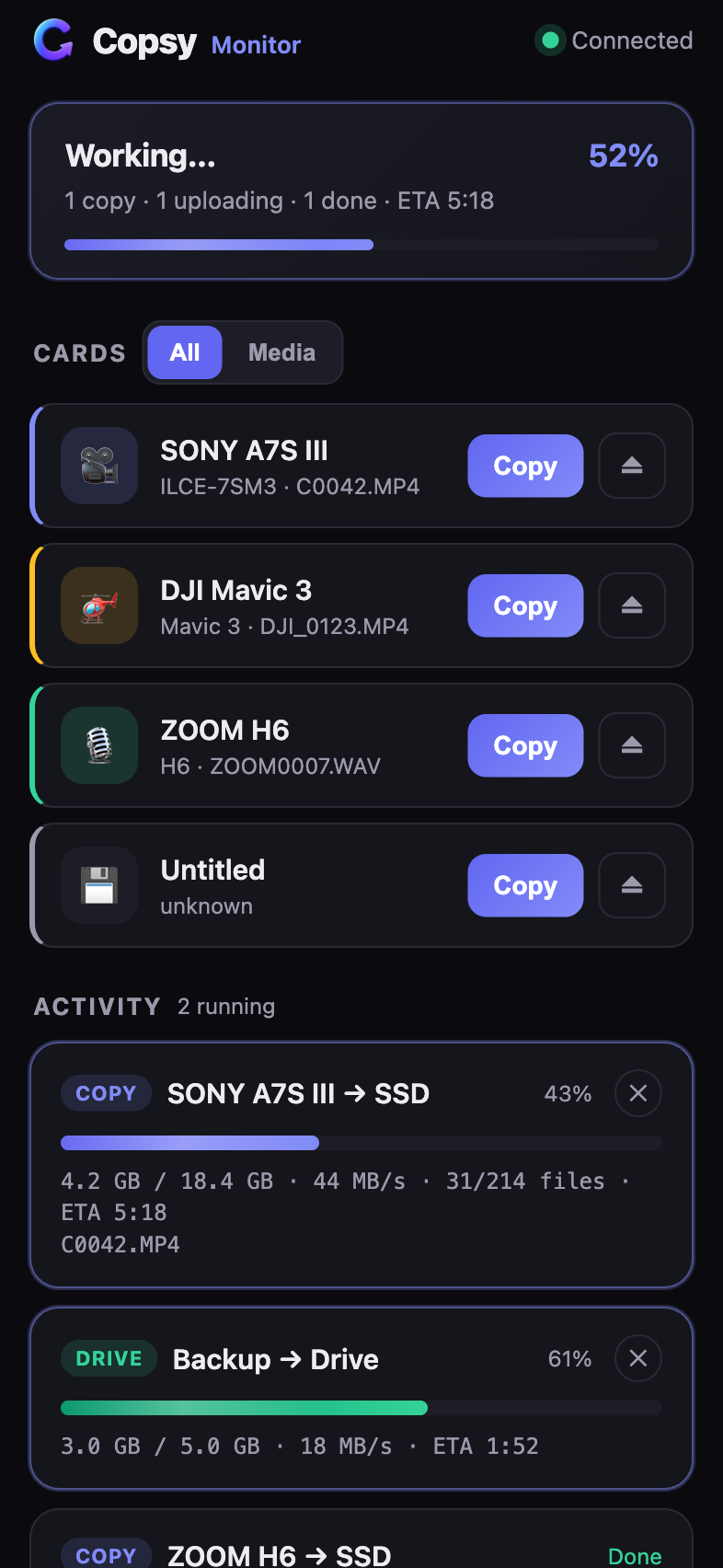
Why Copsy exists
Offloading shouldn't depend on remembering a dozen steps at 2 a.m. Copsy does the core job that Hedge, OffShoot, ShotPut Pro and Silverstack charge for, and it costs nothing. It's for whoever answers for the footage: data wranglers, DPs, wedding and event shooters, documentary crews, drone pilots and photographers.
From the blog
The film-set standard for proving footage copied bit for bit, in plain English.
A working routine for cards, drives and the cloud, from first card to wrap.
Free tools that actually verify your copies, compared side by side.

Free, no signup, no card limit. macOS 13 or later on Apple silicon.