The best SD card copy software in 2026
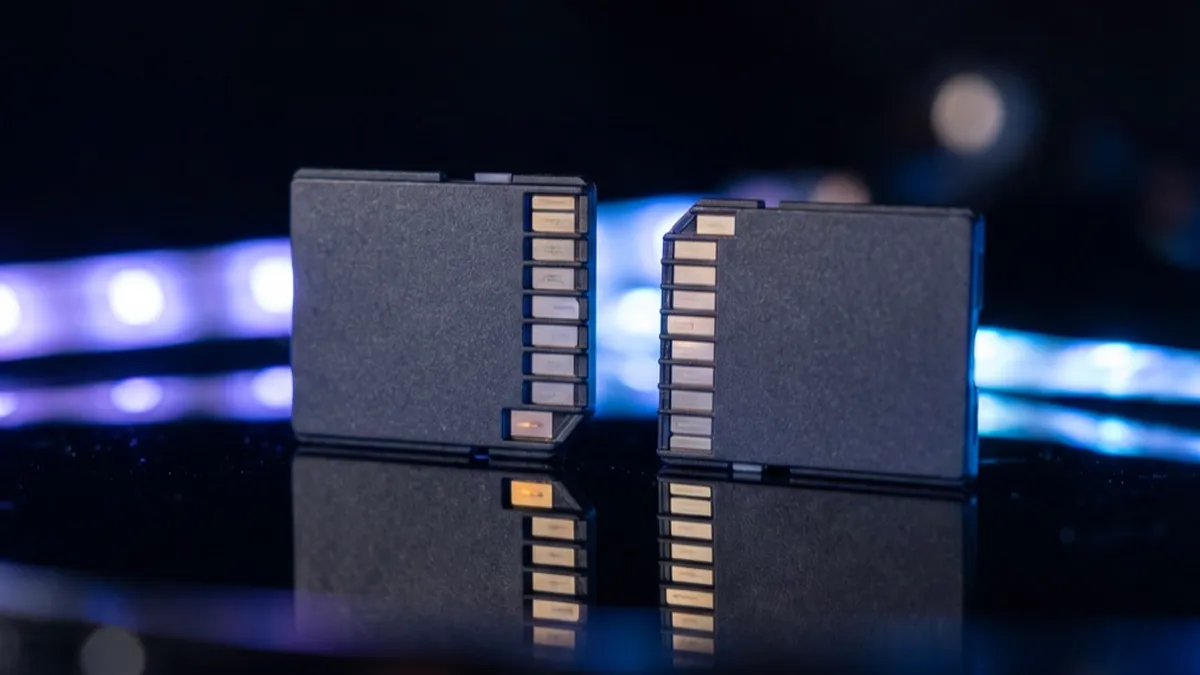
"Copying an SD card" means one of two jobs. To get photos and video off the card onto a computer, an external drive or the cloud, use a copier that checks every file. On a Mac, Copsy is free, recognizes camera, drone and audio cards, verifies each file with xxHash64 and can back the copy up to Google Drive or Dropbox. On Windows, use TeraCopy (free for non-commercial use) or FastCopy with verify on. To clone the whole card (a Raspberry Pi system, a handheld console, a card you want duplicated exactly), use Win32 Disk Imager on Windows or dd or ApplePi-Baker on a Mac, and balenaEtcher to write the image back.
A plain drag in Finder or Explorer copies the files but checks nothing, so a damaged file looks fine until you try to open it.
Two different jobs called "copy an SD card"
Copying the files takes what's on the card (a DCIM folder of photos, a camera's clip folders, a drone's videos) and puts it in a folder on another disk. The copy is only as big as the files, it works between cards and drives of any size, and it's what photographers, videographers and anyone emptying a camera card need. The safe way reads every file back from the destination and compares it with the card.
Cloning the card copies it block by block into an image file (.img) or onto a second card, including partitions, boot data and empty space. You need a clone when the card holds an operating system, as on a Raspberry Pi, a retro handheld or a console, where the files alone won't boot. The image is as big as the whole card, and the card you restore it to must be at least that big.
If the card came out of a camera, you want the first job. A camera card doesn't need to boot, and copying its whole folder tree keeps everything your editing software looks for. Why to copy the whole card, not just the clips →
Copsy — photos and video off camera cards on a Mac
Copsy is a free Mac app made for emptying memory cards. Put a card in and it works out from the files whether it's a camera, drone or audio card, and labels it Camera_A, Camera_B, Drone or Audio. It copies the card into a folder on your drive named after the date and the shoot, hashing every file with xxHash64 while it reads, so the card is read only once. Then it hashes the copy, compares the two, and writes an ASC-MHL manifest and a PDF report beside the files. You can copy the whole card or only the original media, mirror it to a second drive, and have the verified copy uploaded to Google Drive or Dropbox in the background. Uploads carry on after a dropped connection.
Honest limits: Copsy runs on Apple-silicon Macs with macOS 13 or later, and there's no Intel or Windows version yet. The app isn't notarized yet, so the first launch needs Open Anyway in System Settings. It copies files and doesn't make disk images, so it's the wrong tool for a Raspberry Pi card.
Other free ways to copy a camera card on a Mac
Stow, BitMatch, Ingesto and FilmCan are free copiers that verify, made for local drives. Stow and BitMatch read the card once and write to several drives at the same time. Ingesto also runs on Windows and Linux, and FilmCan is a universal app that runs on Intel Macs too. None of them uploads to the cloud. Free camera offload apps compared →
Image Capture and Photos, both built into macOS, import pictures and videos from a card. They're fine for holiday photos, but neither checks the copy, and Photos keeps the files inside its library instead of a folder you choose. A Finder drag copies the folders as they are, again with no check. How to transfer footage from an SD card to a Mac →
Copying an SD card on Windows
TeraCopy replaces the Explorer copy dialog. It verifies every file with xxHash or one of 16 other algorithms, copies again any file that fails, and can save a checksum file. It's free for non-commercial use, and work use needs a license. FastCopy is the fastest copier on Windows and checks the copy when you turn verify on; it's free at home, with Pro from $48 for work. Ingesto and Stow also run on Windows if you want a tool made for camera cards. The Photos app and Explorer import or copy the files without checking them. The best file copy software with verification →
Cloning a whole SD card (Raspberry Pi, consoles, handhelds)
- Win32 Disk Imager (Windows, free and open source): pick the card, name an .img file and press Read to save the whole card; Write puts an image back on a card. "Read Only Allocated Partitions" makes a smaller image.
- dd (built into macOS and Linux): on a Mac, find the card's number with
diskutil list, unmount it withdiskutil unmountDisk /dev/diskN, then runsudo dd if=/dev/rdiskN of=card.img bs=4m. A wrong disk number overwrites that disk, so check it twice. - ApplePi-Baker (Mac): backs a card up to an image and restores it from a window instead of Terminal. It's an Intel app, so Apple-silicon Macs run it through Rosetta 2.
- balenaEtcher (Windows, Mac and Linux, free and open source): writes an image to a card and checks the write. Its Clone drive option copies one card straight to another.
- Raspberry Pi Imager: the official tool for putting Raspberry Pi OS on a card. To back a card up, use one of the tools above.
A clone includes the empty space, so a 128 GB card makes a 128 GB image unless the tool skips unused space, and the card you restore to must be at least as big as the original.
SD card copy tools, compared
| Copsy | Stow / BitMatch / Ingesto / FilmCan | TeraCopy | FastCopy | Image Capture / Photos | Finder / Explorer | Win32 Disk Imager / dd | balenaEtcher | |
|---|---|---|---|---|---|---|---|---|
| What it copies | Files from camera, drone and audio cards | Files from camera cards | Any files | Any files | Photos and videos | Any files | The whole card, as an image | An image to a card, or card to card |
| Platforms | macOS 13+ (Apple silicon) | Mac (Ingesto and Stow also Windows) | Windows (+ older Mac app) | Windows | macOS | macOS / Windows | Windows / macOS and Linux | Windows / macOS / Linux |
| Price | Free | Free | Free non-commercial; Pro paid | Free at home; Pro $48 for work | Free (built in) | Free (built in) | Free | Free |
| Checks the copy | ✓ xxHash64 + ASC-MHL | ✓ | ✓ xxHash and 16 more | ✓ with verify on | ✗ | ✗ | not by default | ✓ checks the write |
| Backs up to Google Drive / Dropbox | ✓ | — | — | — | — | — | — | — |
Checked in November 2026 against each tool's own site and documentation. Prices and features change, so confirm before you rely on one.
Which one should you use?
- Photos and video from a camera, drone or audio recorder, on a Mac: Copsy, which also gives you the cloud copy.
- Several local drives at once, no cloud: Stow, BitMatch or FilmCan on a Mac; Ingesto on Windows or Linux.
- Everyday files on Windows: TeraCopy, or FastCopy when speed matters most.
- A Raspberry Pi or console card: Win32 Disk Imager on Windows, dd or ApplePi-Baker on a Mac, and balenaEtcher to write it back.
- Holiday photos into your photo library: Photos or Image Capture are fine, but keep the card until you've opened the pictures on the computer.
Frequently asked questions
Offload your next card for free
Copsy — a free Mac app that copies camera cards to a drive, verifies every file, then backs them up to Google Drive or Dropbox.
Download Copsy for Mac