How to offload multiple cards at once on a Mac
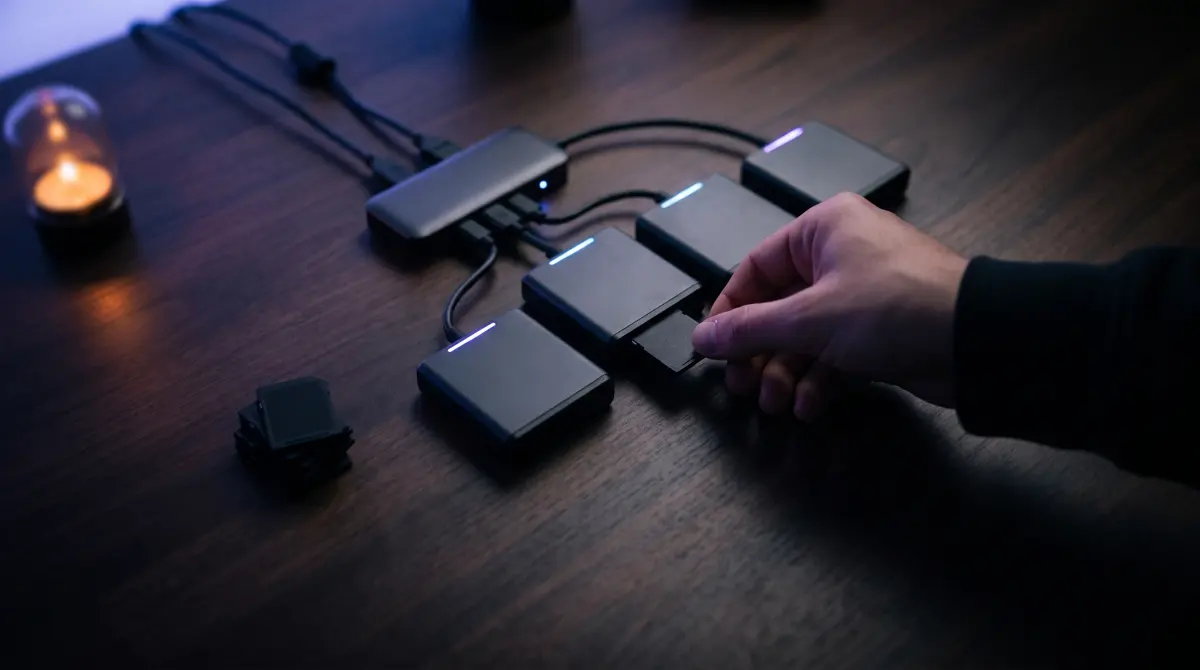
Use multiple fast readers, queue cards back-to-back, and let each copy verify itself. Plug a card into Copsy and it auto-detects the source, copies to your drive (and optionally Google Drive or Dropbox in the same offload), verifies every file with ASC-MHL checksums, and pings you on Telegram. While one card copies, load the next reader. Keep a done-checklist and never format a card until it's verified in two places.
The honest bottleneck is almost never the app. It's your reader and destination-drive speed. Fast CFexpress readers plus a fast SSD do more for throughput than any software trick.
Download Copsy for Mac → · macOS 13+ · no account needed
The busy-day problem: a stack of cards, no time
Wrap is called, the next setup is loading, and you've got six cards in your pocket, three CFexpress, a couple of SD cards from B-cam, and an audio card from the recorder. You need every one of them copied, verified, and back in rotation, and you can't afford to babysit a progress bar or, worse, format the wrong card. What gets you through it isn't speed. It's a flow that keeps your readers busy, tracks what's done, and never lets an unverified card get wiped.
Copsy is built for exactly this. It detects each card by its content (Sony, ARRI, RED, Blackmagic/BMD, Canon, drones, audio recorders), so you don't fiddle with settings per card, and it organizes each offload by date and source so a finished card lands in a clean, dated folder you can recognize at a glance.
Step-by-step: offload a stack of cards fast
- Use more than one reader. Throughput on a multi-card day is gated by how many cards you can read at once. Match your readers to your cards (a dedicated CFexpress reader for the A-cam cards, an SD reader for B-cam, and so on) and use the fastest readers you own. A USB-C / Thunderbolt CFexpress reader will out-run a slow hub every time.
- Queue cards back-to-back. Plug a card into Copsy; it auto-detects the source and starts a verified copy. While that one runs, load the next card into the next reader so a reader is never sitting idle. Don't wait for card #1 to finish before starting card #2.
- Pick a fast destination, and watch for the shared-drive trap. A fast external SSD copies far quicker than a spinning HDD. If two cards both write to the same disk, they split that disk's write speed, so they won't each run at full tilt. Where you can, pair separate readers with separate fast destinations.
- Let the cloud copy run in the same offload. Copsy can copy to your drive and to Google Drive or Dropbox in the same offload (one cloud destination at a time). Your off-site backup builds itself while you keep loading cards, with no separate "upload later" step to forget.
- Let it verify, then walk. Copsy verifies every file with ASC-MHL checksums and pings you on Telegram when an offload is verified and done. You don't have to stand over it. The Telegram message is your "this card is safe" signal.
- Tick the checklist, then, and only then, format. Mark each card done on your list once it's verified. Reuse the empty readers for the next batch and keep moving.
Track which cards are backed up — the rule that saves footage
On a fast day, the single most dangerous moment is reaching for a card to reformat. Memory is not a backup log. Use a list.
Never format a card until it is verified in two places
- Keep a done-checklist (paper, Notes, a strip of tape on each card, whatever you'll actually use). One row per card per day.
- Only tick a card once Copsy reports it verified with ASC-MHL checksums. Not just "copied," verified.
- Confirm it landed in two separate places before formatting: e.g. your external drive plus Google Drive or Dropbox (Copsy copies to both in the same offload), or two physical drives.
- Copsy organizes each offload by date and source, so a backed-up card has a dated, named folder you can point to. No folder, no format.
- The Telegram "done & verified" ping is a second confirmation, but the checklist is what stops a wrong-card wipe at 2am.
Two-places-verified, then format. That one habit is the difference between a fast day and a lost-footage call to the producer.
The honest bottlenecks (it's not the app)
If a stack of cards feels slow, the cause is almost always physical, not software:
- Reader speed. A cheap SD reader or a daisy-chained hub will cap you well below what the card can deliver. Fast, directly-connected CFexpress and UHS-II SD readers are the biggest single upgrade.
- Destination-drive speed. A spinning HDD writes far slower than an SSD, and a verified copy reads the data back to check it. A fast SSD destination shortens both the copy and the verify.
- Sharing one drive across cards. Two cards writing to the same disk share its bandwidth. More cards on one drive ≠ more total speed.
- The cloud copy. A Drive/Dropbox copy is bound by your upload speed. It runs in the background, so it shouldn't slow the next card's copy, but it may finish later. That's fine; let it catch up in the background.
Copsy is honest about this: it can keep multiple verified copies flowing and queue cards so you're never the slow part, but it can't make a slow reader or a slow disk fast. Good hardware plus a back-to-back queue is what actually makes a day fast.
Why a camera-aware offload tool beats a generic backup app
Could you do this with a general disk-backup or sync tool? Tools like Carbon Copy Cloner (around $50) and ChronoSync (around $50) are genuinely good, and they do verify with checksums. The honest difference is that they're general disk-backup / sync tools, not camera-card offload tools: they don't detect a card by its content, they don't write an ASC-MHL media manifest, and they don't organize an offload by shoot the way a DIT needs. On a multi-card day that matters. Copsy recognizes each source automatically and files it by date and source so you're not hand-sorting folders between setups.
Pricing and features change — last verified June 2026. Check each vendor's site for current details.
Where Copsy stops (so you can plan around it)
Being straight about the limits: Copsy is macOS-only (no Windows), it doesn't do LTO/LTFS tape archiving, and it has no NLE panel integration for Premiere or Resolve. It copies to one cloud destination at a time (Google Drive or Dropbox, not both at once). If your day depends on tape archiving or a studio panel pipeline, pair Copsy with the right tool for that step. For the core "copy a stack of cards, verified, organized, fast," it does the job for free.
If you have several readers, plug every card in and hit Copy all on the Cards screen. Copsy works through them one after another, unattended, each card landing in its own Camera_A / Camera_B / Drone / Audio folder, and each one verified. The cloud upload for a finished card runs in the background while the next card copies.
Frequently asked questions
Offload your next card for free
Copsy — a free Mac camera-offload app. Verified copies to a drive and the cloud, nothing lost.
Download Copsy for Mac